Overview
Apple has long built a reputation as an ecosystem where privacy and security are part of the everyday user experience. Even so, iPhones and Macs don’t exist in a vacuum. Phishing attacks and malicious profiles, as well as fake alerts and dangerous app permissions, remain real problems for everyday users. Most people only notice a threat when their phone starts overheating, draining quickly, or behaving strangely. That’s why you shouldn’t wait for a serious incident to occur. Instead, learn to recognize the warning signs that can indicate a problem early on.
Suspicious Notifications. Fake System Alerts
One of the most common ways to manipulate Apple users is through fake messages about:
- viruses,
- dangerous websites,
- an allegedly blocked Apple ID.
Such notifications often appear in the browser via aggressive ads or after visiting a questionable website. They may look convincing to the untrained eye, but Apple does not send system alerts via random web pages. When savvy users notice strange changes in their device’s behavior, they usually begin to search for an explanation. It is precisely at this point where it is crucial to focus not only on individual symptoms but also on the system’s overall behavior. If unknown apps, unfamiliar profiles, or unclear permissions appear, this could be a sign of suspicious activity.
Don’t forget to check your iPhone settings, app list, and permissions for the microphone and camera. Indeed, many users start searching for answers to questions like how to check if your iPhone is hacked in settings only after the device has already started to behave abnormally.
Why you shouldn’t put off updates. Apple security updates
Apple regularly releases security updates to fix vulnerabilities in iOS and macOS. Some of these updates address critical flaws that attackers may exploit to gain remote access to the device or steal data. When users put off updates for months, they actually leave their device without up-to-date protection.
Especially this applies to the Safari browser, system services, and components running in the background. Even if the device is working stably, a lack of updates increases your risk of a successful attack through old vulnerabilities.
What to check after updating
After installation of the new version, check:
- App permissions,
- Background process activity,
- Privacy settings.
Sometimes users automatically agree to all requests. That is, they don’t care about access to contacts, geolocation, or photos. That creates additional risks for online privacy and security.
When Your Battery Signals a Problem
Not every instance of rapid battery drain means a breakdown. And the question “Why is my battery draining so fast?” is often linked to common causes:
- High screen brightness,
- Active GPS,
- Battery aging.
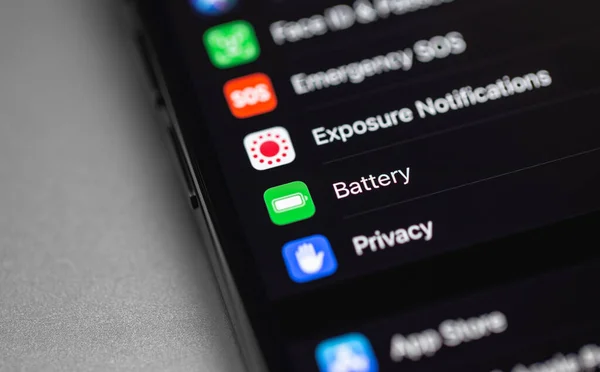
But sometimes, excessive power consumption can indicate unwanted background activity. If your iPhone or Mac starts draining even in standby mode, check your battery usage stats. Unfamiliar apps with high power consumption may indicate malicious software or excessive data collection.
Overheating. Background processes
Don’t ignore device overheating without an obvious cause. Background processes related to mining, ads, or constant data transmission can put extra strain on the system. This is especially noticeable when the phone gets hot even during minimal use.
If you’re a Mac user, make it a habit to periodically check the list of active processes via Activity Monitor.
If you own an iPhone, monitor your mobile data usage and app permissions.
How to Get Rid of the Mac Virus Alert Pop-up Without Panic
Many scam websites use fear as their primary weapon. Messages saying things like Immediate action required or Your Mac is infected create a sense of urgency. People end up clicking on the pop-up, installing an unknown app, or entering their personal information. That’s why the search query on how to get rid of Mac virus alert pop-up has become popular among macOS users. In most cases, the problem can be solved by:
- Clearing your browser data,
- Removing suspicious extensions,
- Checking the list of programs that launch automatically.
Reduce risks in the future
The best protection is paying attention to download sources and app permissions.
- Do not install apps from random websites.
- Do not grant administrative access unless absolutely necessary.
- Use antivirus and antimalware solutions for macOS designed specifically for home users.
Final Thoughts
Apple provides a strong baseline of protection. However, no system guarantees absolute security. A sudden drop in battery life, suspicious notifications, overheating, or unusual app permissions do not always indicate a breach. Nevertheless, they deserve your attention. So, don’t ignore small signs and regularly check your privacy settings, system updates, and app activity. When it comes to digital security, caution and attentiveness are better than haste and panic.
 Add as a preferred source